When the lot or the field is still on the same property as a building, point-to-point off that building is the first design. Peplink and Starlink are not the default for a dealer lot across the driveway.
When the site is completely remote — no building, no LAN to extend — we drop Peplink cellular and/or business-class Starlink in an outdoor path enclosure at the pad. Starlink plugs into a Cambium Network Service Edge (NSE 3000 or NSE 4000) as WAN so alignment, obstruction alerts, throughput, and remote reboot live in cnMaestro X with the same Cambium stack as cnWave and ePMP. Starlink into Peplink remains an option when cellular is primary and satellite is failover on InControl.
From that IP65 metal head-end we can branch Cambium point-to-point to cameras and other drops. Multi-device far-end boxes use the basic point-to-point enclosure with TRENDnet DIN-rail switching. Meraki and UniFi are building switches; they are not what we put on DIN in the outdoor box.
We do not sell campus-wide Wi-Fi programs. Access points get into the design only when they belong — and when cable is the right answer, the report says run cable.
Remote WAN hardware
Peplink
Cellular WAN at the gate or pad
LTE or 5G when cable will not reach
MAX BR1 Mini
LTE or 5G BR1 Mini at the gate or pad with Mobility antennas — InControl handed off after commissioning.
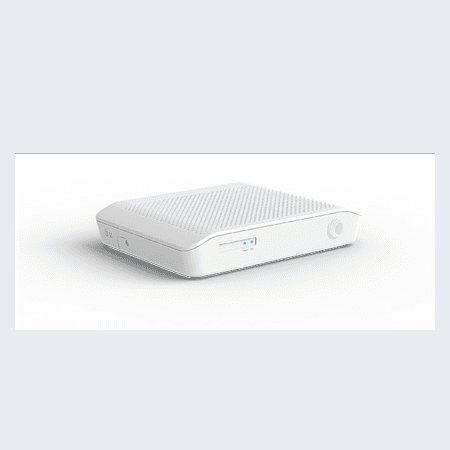
Cambium NSE
NSE3000
Starlink Business plugs into NSE as WAN — dish health and multi-WAN in cnMaestro X with cnWave/ePMP radios.
Starlink Business
Satellite WAN at the gate or pad
When there is no wire to extend
Starlink Business
Satellite WAN at the gate or pad — preferred into a Cambium NSE on cnMaestro X; Peplink BR1 Mini when cellular is primary.
Product names and images identify hardware we may specify — descriptive use only. Orbit Security Group is independent and not affiliated with or endorsed by Ubiquiti, Cisco, Cambium Networks, Peplink, SpaceX, Axis Communications, ProdataKey, Napco Security Technologies, Suprema, or other manufacturers named on this site. Typographic panels are plain-type references, not official manufacturer logos.
In-building switching
Three LAN stacks we spec day to day
In-building switching is not one-size-fits-all. We pick Meraki, UniFi, or Cisco Small Business based on what you already run, whether cameras and doors live on UniFi, and how much cloud licensing the owner wants to carry — then size PoE and VLANs on the drawing.
Ubiquiti UniFi
UniFiPoE switching on the same console as Protect and UniFi Access — one dashboard for cameras, door hubs, and intercoms when the site standardizes on UniFi.
When: Default when Protect, Access, or intercom belong on the same job and the owner wants one vendor stack.
Cisco Meraki
MerakiCloud-managed switching and routing when the site already runs Meraki — VLANs, PoE, and dashboard handoff to your org.
When: Existing Meraki estate, or when centralized cloud management is already the IT preference.
The MX and switch lines have been moving — new hardware tiers and licensing bundles show up often. We design to current SKUs and what is actually orderable, not a stack from an old quote.
Cisco Small Business
Cisco SBTraditional CBS-class switches — CBS250, CBS350, and the current Small Business line. Buy over the counter at CDW or a local reseller. No cloud subscription on the switch itself for basic L2/L3 PoE work.
When: Lowest-friction entry: owner wants Cisco switching without Meraki licensing, or a simple IDF that does not need UniFi or Meraki on day one.
By site type
Small shop or boardwalk unit
Cisco Small Business or UniFi
One IDF in the back closet — 8–16 port PoE switch, VLAN for cameras, VLAN for staff Wi‑Fi, guest SSID if needed. CBS when the owner wants OTC buy; UniFi when Protect and intercom share the console.
UniFi-first site (Protect + Access)
UniFi switching
USW PoE in the closet powering door hubs, intercom, and cameras on segmented VLANs — one Protect host and one Access hub, no second management plane.
Existing Meraki campus
Meraki switching
Extend the current dashboard — new MS switches sized for camera PoE budget, camera VLANs firewalled from corporate SSIDs, MX or upstream router unchanged when it still fits.
Arcade or play center
Cisco SB or UniFi — sized up
24-port PoE class switch — six to twelve cameras, two APs, POS on its own VLAN. Meraki when a franchise IT group already standardizes on it.
Stack comparison
| Stack | Cloud license | Buy path | Best when |
|---|---|---|---|
| UniFi | Optional (Protect / Access apps) | CDW, rep, or direct | Protect, Access, or intercom on one console |
| Meraki | Yes — org dashboard license | Partner or Cisco commerce | Site already on Meraki MX/switching |
| Cisco Small Business | No — switch runs standalone | OTC — CDW or rep | Simple PoE closet, lowest subscription load |
What you leave with
- Switch schedule with orderable SKUs and port map
- PoE budget — cameras, APs, door hubs, and headroom on the drawing
- VLAN plan — guest, staff, cameras, access, and POS separated
- IDF/MDF placement notes and uplink path
- Commissioning checklist — test PoE, VLAN isolation, and gateway handoff
Cameras and door access stay separate design lines — a Cisco Small Business switch can power Protect cameras and UniFi door hubs on VLANs even when the switching brand is not Ubiquiti.
Remote WAN
Remote WAN — when there is no wire to extend
Pump stations, gate compounds, seasonal lots, and pop-up fairs need a head-end before Cambium site links or Protect cameras have anything to ride on. Peplink cellular and Starlink Business into a Cambium NSE are the two paths we spec most often — designed, stood up, and handed off with credentials you keep.
Cellular is the default when LTE or 5G is usable at the pad — Peplink MAX BR1 Mini (LTE or 5G) with Mobility 22G or 42G antennas in an outdoor path enclosure (IP65 metal, wall or pole, exhaust fans), InControl org handed to you after commissioning, and firewall rules written down before go-live.
Starlink Business lands when the site is truly off-grid or cellular is weak. The preferred Cambium path is Starlink Ethernet into a Network Service Edge (NSE) router — NSE 3000 or NSE 4000 — so the dish is a managed WAN on the same cnMaestro X console as cnWave and ePMP radios: live dish stats, alignment and obstruction alerts, throughput and latency, and remote reboot without a separate Starlink app for day-to-day ops. Multi-WAN on the NSE can bond dishes or mix Starlink with cellular or fiber when the site needs failover.
Starlink into Peplink still fits when the design is cellular-primary with satellite as backup on InControl. Downstream from either head-end, Cambium point-to-point hops use the basic point-to-point enclosure when several devices share the far end — TRENDnet DIN-rail switching inside the box. Meraki and UniFi are building switches; they are not what we put on DIN outdoors.
Dual-WAN is not automatic magic — we document primary, backup, and what still works when one path drops. A gate camera and intercom should not go dark because the failover rule was never tested.
Head-end options
Peplink MAX BR1 Mini (LTE)
Compact LTE cellular head-end with external antenna ports — gates, pads, fairs, and trailers. Paired with a Mobility 22G (or 42G when more cellular elements help). InControl org transferred to you.
When: LTE is usable at the pad and the enclosure needs to stay small — single-modem cellular in a compact chassis.
Peplink MAX BR1 Mini 5G
Same BR1 Mini footprint with a 5G modem for higher uplink when Protect cameras or guest Wi‑Fi need it. Mobility 22G or 42G antennas on the mast or enclosure lid; Starlink can still ride as backup WAN on InControl when the design stays on Peplink.
When: 5G coverage is available and you want managed cellular, GPS, and remote reboot without upsizing the router family.
Peplink Mobility 22G / 42G
IP68 Mobility Antenna Series — 22G (2× cellular, 2× Wi‑Fi, GPS) for compact kits; 42G (4× cellular, 2× Wi‑Fi, GPS) for heavier cellular MIMO. Omni housings, high gain, UV-rated — mount as high as practical with sky clearance.
When: Any BR1 Mini outdoor install — the antenna is part of the head-end, not an afterthought.
Cambium NSE (Network Service Edge)
NSE 3000 or NSE 4000 — SD-WAN and next-gen firewall edge. Starlink Business plugs in as WAN so dish monitoring, multi-WAN bonding, firewall, and VPN live on cnMaestro X with the same Cambium stack as site-link radios.
When: Starlink is the primary path (or a bonded WAN) and you want one Cambium console — NSE plus cnWave/ePMP — instead of managing the dish only in the Starlink app.
Starlink Business
Satellite WAN for off-grid pads. Preferred handoff is Ethernet into a Cambium NSE for cnMaestro X control; Peplink when cellular is primary and satellite is the spare pipe.
When: No usable cellular, open sky, and monthly service is acceptable for an unmanned site.
By site type
Gated compound with no fiber
Peplink cellular or Starlink into NSE
Router in a weather enclosure at the building or pad — Cambium PtP from there to gate cameras and G3 Intercom. InControl or cnMaestro X alerts on WAN loss.
Remote pump or utility pad
Peplink or Starlink + NSE
Single head-end box — cellular when the signal is there; Starlink dish into a Cambium NSE when it is not. Protect cameras on the pad, dish health in cnMaestro X.
Pop-up fair on a park lawn
Peplink LTE/5G
Cellular router in the enclosure powers the PoE switch, outdoor APs, and midway cameras — tear-down checklist for the next weekend.
Seasonal dealership lot camera
Starlink into Cambium NSE
Starlink Business as primary WAN on an NSE — optional cellular failover — lot cameras and LPR on Protect without trenching to the main building, managed in cnMaestro X.
What you leave with
- Head-end enclosure layout — outdoor path enclosure (IP65 metal, exhaust fans), router or NSE, surge, antenna/dish pass-through, and PoE budget
- WAN failover rules documented — primary, backup, and test procedure
- InControl and/or cnMaestro X + Starlink account handoff checklist
- Downstream path — Cambium PtP, Protect cameras, or APs fed from the head-end
- Commissioning test — WAN failover, camera ping, dish visibility in cnMaestro when NSE is used, and alert routing
- 01
Remote head-end
No building to hang off. Peplink cellular or Starlink into a Cambium NSE become the head-end in a can. Point-to-point can branch from there.
- 02
Peplink + InControl
We design and commission the cellular path, then hand you InControl. You keep access after we leave.
- 03
Starlink + Cambium NSE
Starlink Business Ethernet into NSE — dish and WAN policy in cnMaestro X alongside site-link radios, not only in the Starlink app.
What you leave with
- Peplink cellular design and InControl handoff
- Starlink Business placement, power, and WAN notes
- Cambium NSE sizing (NSE 3000 / NSE 4000) and cnMaestro X handoff when Starlink rides Cambium
- Failover / VLAN notes — Starlink+NSE, Peplink, or dual-WAN mix
- AP notes only if the site actually needs them