A car dealership needs cameras on the lot — that inventory is a real target. A private school needs the same on a parking lot, athletic field, or outbuilding far enough from the main building that nobody ran cable. That is the site-link job: extend the LAN to where the cameras have to live.
Point-to-point is one building path to one far end. Point-to-multipoint is one distribution hub — typically cnWave V5000 on the building — with several client radios at poles, gates, or outbuildings. Mix and match is the design, not a silo.
Outdoor hops land in our basic point-to-point enclosure when several devices share the far end — radio, cameras, access, audio — on TRENDnet DIN-rail switching inside an IP65 metal cabinet. Meraki and UniFi are building switches; they are not what we put on DIN in the outdoor box. A single camera, gate controller, or cellular head-end at a pole uses the outdoor path enclosure instead.
The radio line is Cambium. Clean, short LOS runs on cnWave 60 GHz: V5000 as the distribution node (two sectors, up to 280° coverage), V1000 or V2000 as the client. The V1000 is the workhorse far-end — 80° horizontal beamforming so a competent installer can put it up without a precision RF shoot. The V2000 is especially useful when the far end also has to power a camera or a small switch. We do not specify the V3000 — that is a precision-aim, engineer-on-site radio, and we are not selling hail-mary 60 GHz shots.
If 60 GHz has no clean LOS — trees, distance, or a building in the way — we design on ePMP 6 GHz instead: the 4600 access point with Force 4625 SM as the preferred subscriber module, or Force-to-Force for a single hop. Short Ubiquiti throws are possible; Cambium is the default. If neither path is viable, we say so before you spend money.
Cambium radios & NSE
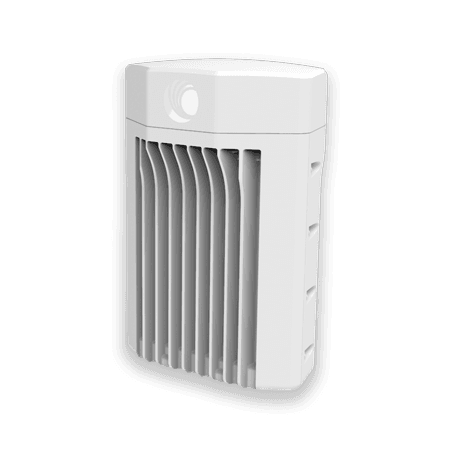
cnWave V5000
V5000
60 GHz hub on the building — two sectors covering up to 280° with beamforming, distributing to several far drops when LOS is clean.
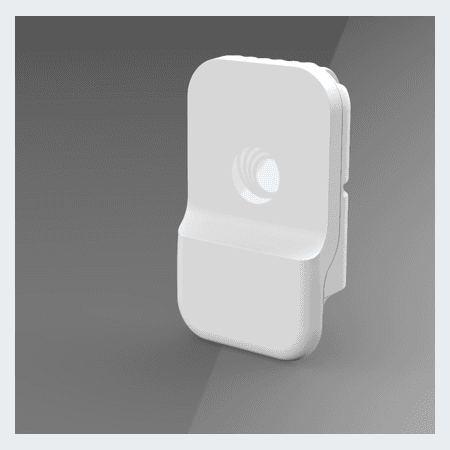
cnWave V1000
V1000
60 GHz client with 80° horizontal beamforming (±40° azimuth) — the everyday far-end radio a competent installer can put up.
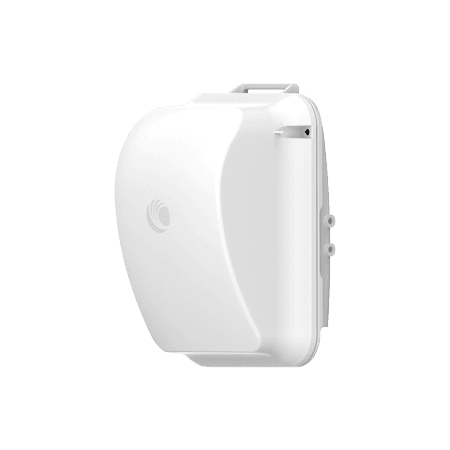
cnWave V2000
V2000
60 GHz client at the pole or outbuilding — PoE out for a camera or small switch.
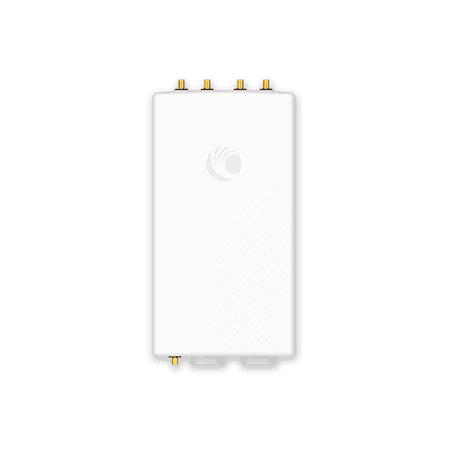
ePMP 4600 AP
ePMP-4600
6 GHz access point when 60 GHz has no clean line of sight — trees, distance, or soft path.
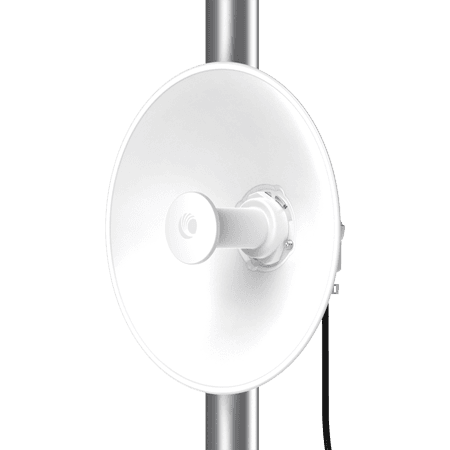
Force 4625 SM
Force-4625
Preferred 6 GHz subscriber module — integrated dish SM for PTP or under an ePMP 4600 AP.
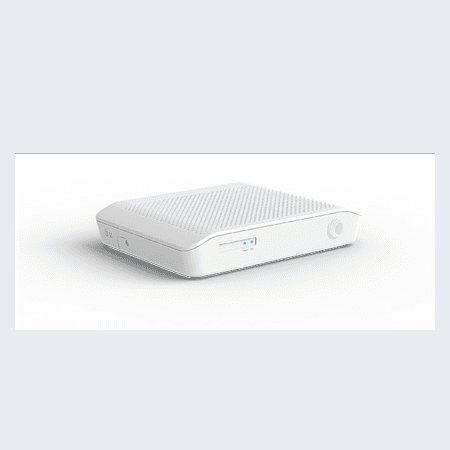
NSE 3000
NSE3000
Network Service Edge router — Starlink Business plugs in as WAN; dish health and multi-WAN in cnMaestro X with the radios.
Product images courtesy of Cambium Networks. cnWave, ePMP, Network Service Edge (NSE), and cnMaestro are trademarks of Cambium Networks Limited. Orbit Security Group is independent and not affiliated with Cambium Networks.
Example layout
Dealership lot — 60 GHz across the aisle, 6 GHz to the front lot
A typical mix: cnWave for the clean building-to-building shot, ePMP when the inventory lot needs longer or softer coverage.
Example · car dealership site links
Showroom to service building is a short, clear shot across the mid aisle — that is a natural 60 GHz cnWave hop (V5000 ↔ V1000/V2000). The front inventory lot is longer and busier, so cameras on light poles usually ride ePMP 6 GHz (4600 AP with Force 4625 SM) off the same building LAN. Mix and match is the design — not one radio for every path.
In-building switching
Three LAN stacks we spec day to day
In-building switching is not one-size-fits-all. We pick Meraki, UniFi, or Cisco Small Business based on what you already run, whether cameras and doors live on UniFi, and how much cloud licensing the owner wants to carry — then size PoE and VLANs on the drawing.
Ubiquiti UniFi
UniFiPoE switching on the same console as Protect and UniFi Access — one dashboard for cameras, door hubs, and intercoms when the site standardizes on UniFi.
When: Default when Protect, Access, or intercom belong on the same job and the owner wants one vendor stack.
Cisco Meraki
MerakiCloud-managed switching and routing when the site already runs Meraki — VLANs, PoE, and dashboard handoff to your org.
When: Existing Meraki estate, or when centralized cloud management is already the IT preference.
The MX and switch lines have been moving — new hardware tiers and licensing bundles show up often. We design to current SKUs and what is actually orderable, not a stack from an old quote.
Cisco Small Business
Cisco SBTraditional CBS-class switches — CBS250, CBS350, and the current Small Business line. Buy over the counter at CDW or a local reseller. No cloud subscription on the switch itself for basic L2/L3 PoE work.
When: Lowest-friction entry: owner wants Cisco switching without Meraki licensing, or a simple IDF that does not need UniFi or Meraki on day one.
By site type
Small shop or boardwalk unit
Cisco Small Business or UniFi
One IDF in the back closet — 8–16 port PoE switch, VLAN for cameras, VLAN for staff Wi‑Fi, guest SSID if needed. CBS when the owner wants OTC buy; UniFi when Protect and intercom share the console.
UniFi-first site (Protect + Access)
UniFi switching
USW PoE in the closet powering door hubs, intercom, and cameras on segmented VLANs — one Protect host and one Access hub, no second management plane.
Existing Meraki campus
Meraki switching
Extend the current dashboard — new MS switches sized for camera PoE budget, camera VLANs firewalled from corporate SSIDs, MX or upstream router unchanged when it still fits.
Arcade or play center
Cisco SB or UniFi — sized up
24-port PoE class switch — six to twelve cameras, two APs, POS on its own VLAN. Meraki when a franchise IT group already standardizes on it.
Stack comparison
| Stack | Cloud license | Buy path | Best when |
|---|---|---|---|
| UniFi | Optional (Protect / Access apps) | CDW, rep, or direct | Protect, Access, or intercom on one console |
| Meraki | Yes — org dashboard license | Partner or Cisco commerce | Site already on Meraki MX/switching |
| Cisco Small Business | No — switch runs standalone | OTC — CDW or rep | Simple PoE closet, lowest subscription load |
What you leave with
- Switch schedule with orderable SKUs and port map
- PoE budget — cameras, APs, door hubs, and headroom on the drawing
- VLAN plan — guest, staff, cameras, access, and POS separated
- IDF/MDF placement notes and uplink path
- Commissioning checklist — test PoE, VLAN isolation, and gateway handoff
Cameras and door access stay separate design lines — a Cisco Small Business switch can power Protect cameras and UniFi door hubs on VLANs even when the switching brand is not Ubiquiti.
- 01
Point-to-multipoint
One V5000 hub on the building (up to 280° across two sectors), several V1000 or V2000 clients at far drops — multi-device far ends in the basic point-to-point enclosure with TRENDnet DIN switching.
- 02
60 GHz vs 6 GHz
Clean short LOS: cnWave V5000 (280°) / V1000 (80°) / V2000. Soft or longer path: ePMP 4600 AP with Force 4625 SM.
- 03
Power is enough
No network at the pole yet? We still put a drop where you have power — outdoor path enclosure for one device, point-to-point enclosure when several share the far end.
What you leave with
- Path assessment and radio recommendation
- Mounting and aiming notes
- Power, grounding, and enclosure spec — IP65 metal, exhaust fans, TRENDnet DIN on multi-device PtP boxes
- LAN handoff and throughput expectations
Ready-to-ship basic point-to-point enclosures — IP65 metal with TRENDnet DIN-rail switching — are listed under Products when stock is available. Single-device path drops use the outdoor path enclosure.