We work on dealerships, private schools, daycares, small campuses, estates, and working businesses. A lot of the coverage that matters is not on the building — it is on the lot, the field, or the far parking, riding a point-to-point hop. Mixed indoor/outdoor, long cable or wireless runs, and a recorder someone on site can actually operate.
We lead with Ubiquiti Protect — not just tiles on a wall. License plate recognition at gates and service lanes, facial recognition where policy allows, person and vehicle smart detections, line crossing on fence segments and stock rows, audio classification on AI cameras, and natural-language search through AI Key when the operator needs to find clips without calling IT. Processing stays on your UNVR or console — no per-camera cloud analytics fee.
Camera generation matters on the part list. AI-series cameras ship with identity and smart detections built in. G4 and G5 carry smart detections natively; real-time face and LPR on those models typically need AI Port, with AI Key adding NeXT AI search and enhancement across the site. G3 and ONVIF cameras can join through AI Port when replacing everything is not in budget.
When a site already has cameras or an NVR that works, we design around it: extend coverage, replace weak spots, or migrate when it makes sense. We are comfortable specifying and commissioning mixed environments, not just greenfield installs.
On daycares, cameras are a security layer for the operator — doors, lot, playground, classrooms if the site needs them. Facial recognition and audio recording get a policy conversation before they go on the drawing — staff libraries and unknown-person alerts where policy allows. Parent-classroom streaming apps are outside this scope; we design the operator recorder and intercom path separately from those products.
The design starts with the questions that get skipped on a typical bid: what are you trying to see, what analytics should fire when, and will the recording still be useful when someone reviews it later? Pixel density, backlight, IR bleed, LPR angle, and storage are specified in writing — not left as a surprise at commissioning.
Intrusion sensors and Alarm Manager sirens are a separate consulting line — UniFi Protect SuperLink sensors and the Alarm Hub Kit — when the job needs door contacts, motion, glass break, or hardwired zones alongside the cameras.
UniFi Protect hardware reference
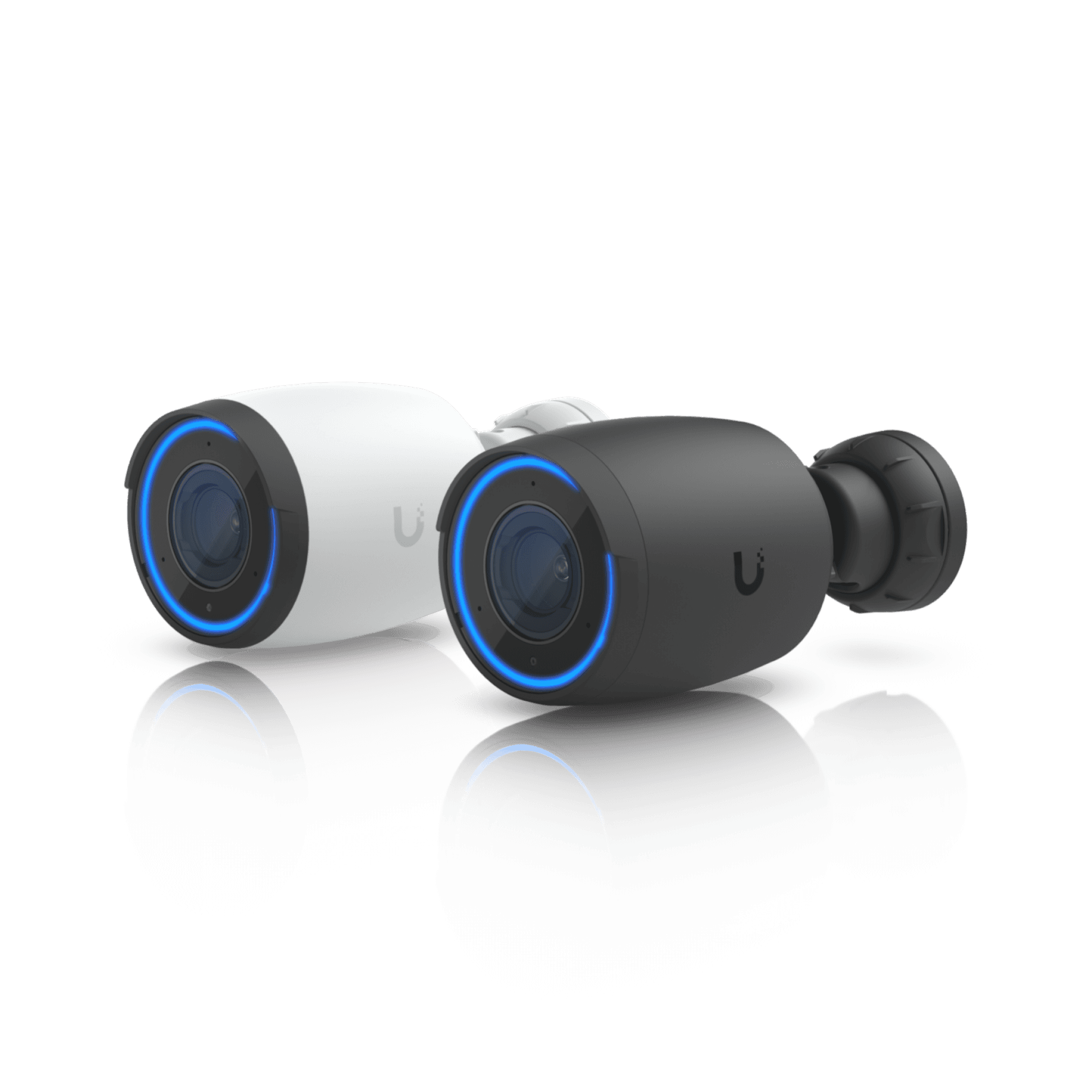
AI Pro camera
UVC-AI-Pro
AI-series analytics — person, vehicle, line cross, LPR, and facial recognition on capable models.
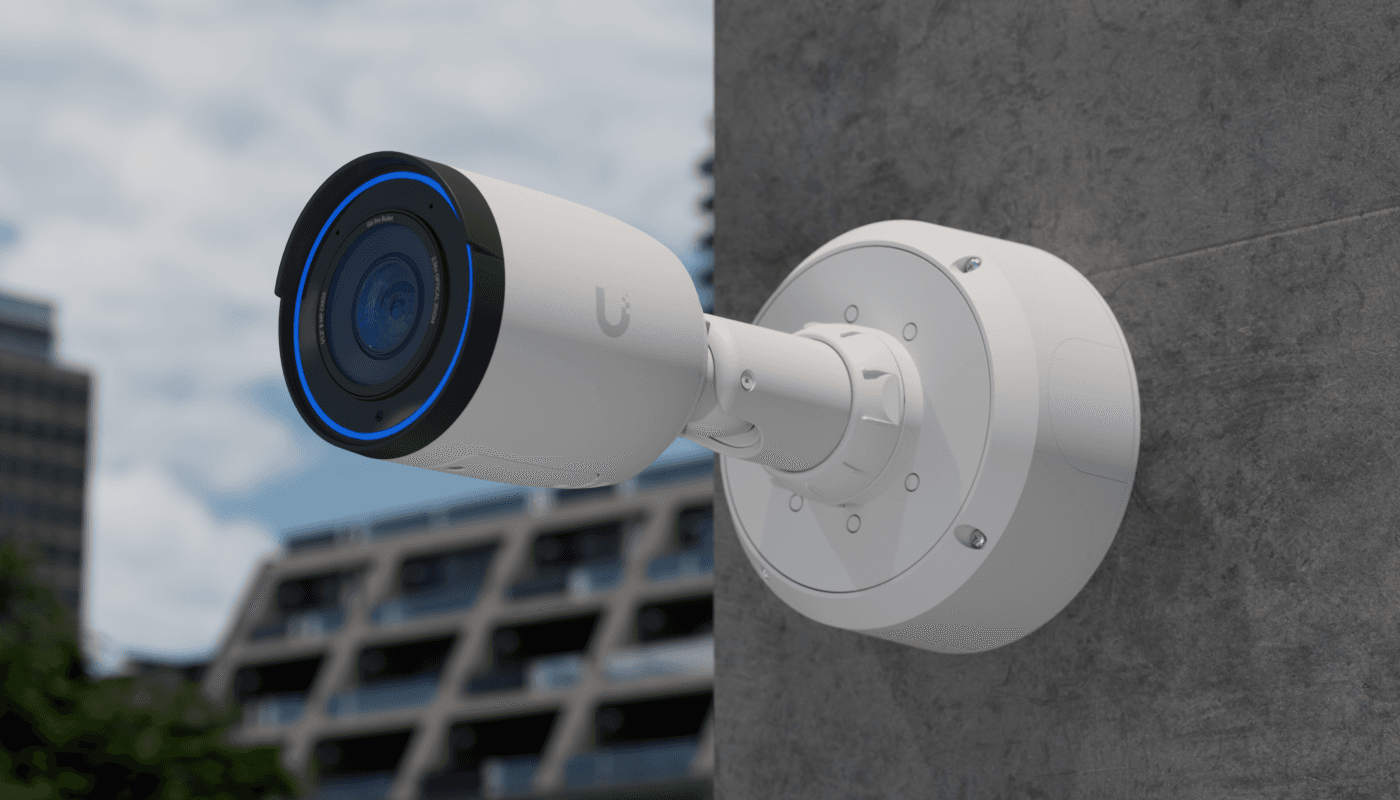
G4 Pro bullet
UVC-G4-Pro
Exterior lot coverage — pair with AI Port or AI Key when the site needs real-time LPR or face on G4/G5.
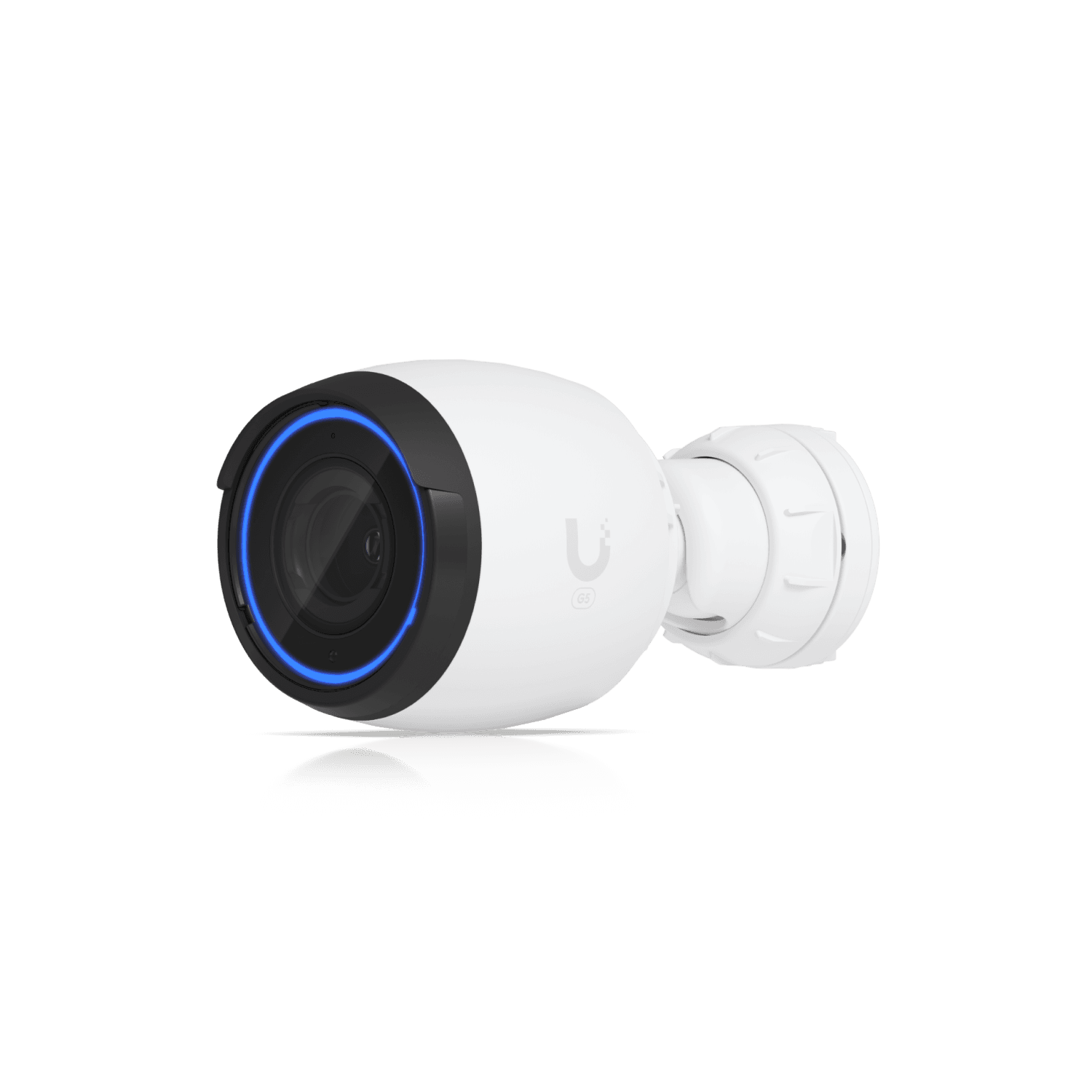
G5 Pro
UVC-G5-Pro
Current-generation Protect camera line — specified on the drawing, not from a shelf kit.
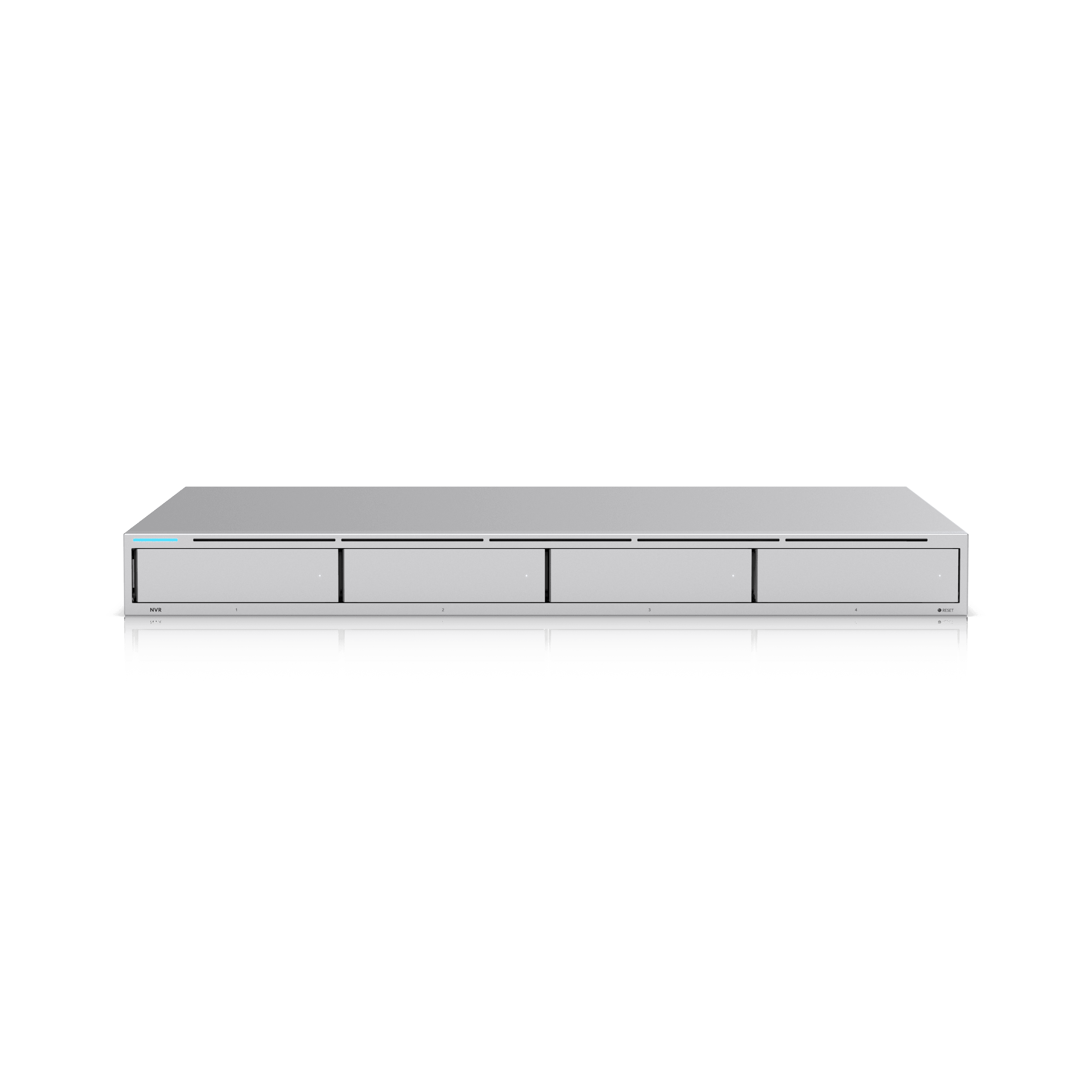
Network video recorder
UNVR
Local UNVR recording — smart detections, Alarm Manager, SuperLink sensors, and NeXT AI search without cloud analytics fees.
Product images courtesy of Ubiquiti Inc. UniFi is a trademark of Ubiquiti Inc. Orbit Security Group is independent and not affiliated with Ubiquiti.
Ubiquiti Protect analytics
Protect analytics — planned on the drawing
Ubiquiti Protect is not just recording. Smart detections, license plate recognition, facial recognition, line crossing, audio classification, and natural-language search run on your hardware — not a per-camera SaaS bill. We spec which analytics belong at each shot, which camera generation or edge appliance carries them, and how retention and network path support the workload.
Analytics start with coverage. A license-plate camera aimed at glare from a wet lot will not produce useful LPR no matter what model is on the pole. We design the shot first — height, angle, lighting, and the network hop to the recorder — then assign Protect features to each camera on the schedule.
AI-series cameras (AI Pro, AI Turret, AI LPR, and the current AI line) ship with on-camera person, vehicle, line-crossing, and many identity features built in. G4 and G5 cameras carry smart detections natively; face recognition and LPR on those models typically need an AI Port for real-time results or an AI Key for queue-based enhancement plus NeXT AI search. G3 and third-party ONVIF cameras can join Protect through an AI Port bridge — smart detections first, advanced identity through AI Key when the site needs it.
Everything processes locally on the Protect console, UNVR, or edge appliances. No cloud subscription per camera. That matters for dealerships tracking inventory movement, schools reviewing pickup incidents, and remote gates where bandwidth is already tight.
By property type
Auto dealership
- LPR on service lane and gate — plate history without a third-party system
- Line cross between customer parking and inventory rows
- Person detection after hours on showroom entries
- NeXT AI search for “dark SUV near fence” after lot incident
Private school / daycare
- G3 Intercom at pickup — Intercom Viewer in director office and classroom wing
- Person and line cross at pickup door — staff alerts when configured
- Facial recognition at main entry optional — policy-first; often staff-only library
- Lot and perimeter cameras on same Protect console as door access
Warehouse & logistics
- Vehicle detection at dock doors — wrong-way or unexpected truck
- Line cross on forklift lanes
- LPR on yard gate for carrier audit trail
- Alarm Manager → strobe on person in high-value cage after hours
Remote gate / municipality
- LPR at gate with Starlink/Peplink head-end — metadata still local on UNVR
- Known-plate allow list; unknown plate alert to on-call phone
- Audio classification on AI camera in equipment pad
- Low-bandwidth smart detections — fewer false motion uploads on cellular
License plates & facial recognition
The analytics operators ask about first — who was at the door, which plate came through the gate, and whether a known person triggered an alert.
License plate recognition (LPR)
Reads plates on approaching and departing vehicles — ideal for gates, loading docks, dealership lanes, and school pickup loops when the camera is aimed correctly.
- Gate and visitor parking — allow/deny lists without a separate LPR vendor
- Dealership service lanes and inventory rows — correlate movement with time of day
- Municipal lots and pump stations — audit who was on site after an incident
Hardware: Native on AI LPR and AI-series cameras. G4/G5: real-time with AI Port; async enhancement with AI Key. G3/ONVIF: AI Port required for smart detections, then AI Key for LPR depth.
Facial recognition
Match faces against a local library — staff, vendors, repeat visitors, or persons of interest. Alerts when a known face appears at an entry or restricted zone.
- Main entrance and after-hours doors — know when authorized staff vs. unknown visitors arrive
- Restricted areas — server room, pharmacy cage, cash office
- Repeat trespass or custody scenarios — documented alerts, not manual scrubbing
Hardware: Built into AI-series cameras. G4/G5: real-time with AI Port; AI Key adds enhancement and search. Enable thoughtfully on education sites — see privacy notes below.
Face enhancement
Upscale and clarify facial captures from smart-detection events so security staff can act on a usable image — especially on wide shots where the face is small in frame.
- Lobby and corridor cameras where the subject is far from the lens
- Incident review after the fact — export a clearer still for law enforcement
Hardware: AI Key feature — works across AI, G4/G5, and AI Port–bridged cameras.
Known-person & watchlist alerts
Tie face or plate libraries to Alarm Manager rules — push notifications, sirens, or access actions when a match occurs.
- After-hours entry when only cleaning crew should be on site
- Gate auto-open for registered plates; alert for unknown plates
Hardware: Protect Alarm Manager + identity analytics from AI series, AI Port, or AI Key stack.
Smart detections & line analytics
The baseline layer — person and vehicle classification, zones, and line crossing — that makes motion events searchable instead of endless clips.
Person & vehicle detection
Separate people from cars, bikes, and packages so filters in the Protect app show what matters. Reduces false alerts from trees, shadows, and headlights.
- Parking lots and playgrounds — person vs. vehicle alerts overnight
- Loading docks — vehicle present in lane without scheduled delivery
- Retail frontage — person at door after close
Hardware: Native on AI-series and G4/G5. G3 and ONVIF cameras via AI Port.
Line crossing
Draw a virtual tripwire — alert when someone or something crosses a boundary. Common for fence lines, stock lanes, and restricted corridors.
- Perimeter fence segments that cannot get a physical sensor
- Dealership rows — cross-line between customer parking and inventory
- Warehouse aisles — forklift vs. pedestrian paths
Hardware: AI-series and G4/G5 natively; AI Port for legacy or third-party cameras.
Zone entry & loitering
Define areas of interest — alert on entry, dwell time, or absence. Pair with schedules so business hours behave differently than nights and weekends.
- Cash office or pharmacy cage — entry outside business hours
- Playground or pool enclosure — person in zone when facility is closed
- Generator or fuel pad — loitering detection at remote sites
Hardware: Protect smart zones on capable cameras; AI Port extends to bridged streams.
Vehicle attributes
Classify vehicle type and color on supported models — narrow search results without reading a plate (useful when LPR angle is impossible).
- White delivery van at rear dock — filter events before pulling plates
- Campus parking — SUV vs. sedan search after a hit-and-run
Hardware: AI-series and newer G5 models; enhanced metadata via AI Key on G4/G5.
Audio analytics
Microphone-equipped cameras and AI-series models can classify sound — not just record it — for faster response.
Speech detection
Detect human speech in the scene — useful for altercations, after-hours voices in a closed building, or verifying interaction at a door.
- Retail after close — voices in stockroom
- School entries — speech at locked door overnight
Hardware: AI-series cameras with microphone enabled; policy-dependent in classrooms.
Speech-to-text
Transcribe speech smart detections into searchable text inside Protect — review what was said without scrubbing entire audio tracks.
- Lobby and reception disputes — searchable transcript alongside video
- Loading dock instructions — audit verbal handoffs
Hardware: AI-series + AI Key (Computer Vision Enhancement). Confirm legal/policy constraints before enabling in two-party consent states.
Environmental audio classification
Detect glass break, gunshot, scream, and similar acoustic events on supported AI cameras — layered on top of video analytics.
- Storefront glass — break alert overnight
- Remote pump or gate enclosure — scream or impact without a separate acoustic sensor
Hardware: AI-series with audio analytics enabled; verify local ordinance on audio recording.
Search, summaries & alarms
How staff actually use the system after install — finding clips fast and getting notified without watching walls of tiles.
NeXT AI natural language search
Ask Protect in plain language — “white truck at the gate yesterday afternoon” — and get filtered events across cameras. Reduces training time for non-technical staff.
- Front desk searching pickup incidents without calling IT
- Owner reviewing lot activity after hours from a phone
Hardware: AI Key (Computer Vision Enhancement). Requires smart detections on source cameras.
AI summaries & alerts
Automatic summaries of activity per camera and AI-driven alert rules — fewer false pages, more context in each notification.
- Multi-camera small campus — morning digest for director
- Remote gate — summarized overnight activity instead of 200 motion clips
Hardware: AI Key; consumes queue capacity — size the appliance to event volume.
Alarm Manager
Build rules from analytics events — person in zone, line cross, known plate, audio class — and route to app push, email, webhooks, or physical outputs.
- Integrate with existing siren/strobe at a gate
- Escalation path: line cross → notify manager → notify owner
Hardware: Protect on UNVR or console; pairs with any analytics source above.
Timeline & smart filters
Standard Protect filters by person, vehicle, line cross, face, plate, and audio — export clips with metadata for insurance or law enforcement.
- Every site — baseline operator workflow in the design handoff.
Hardware: Included with Protect; depth of metadata depends on camera + edge stack.
Edge appliances
AI Port and AI Key extend Protect without cloud subscriptions — spec them when the site mixes camera generations or needs NeXT AI search.
AI Port
Real-time AI on one streamBridges a single G3, legacy UniFi, or ONVIF camera into Protect smart detections — person, vehicle, line cross — and enables real-time face and LPR on G4/G5 when the site needs identity without replacing every camera.
When: Keep working cameras but add analytics; one AI Port per stream today (Ubiquiti has discussed multi-camera support in future updates).
- PoE in/out
- Edge processing on-camera stream
- Required path for G3/ONVIF → AI Key advanced features
AI Key
Site-wide AI enhancementQueue-based edge appliance (~1,000 smart detections/hour) that adds NeXT AI search, speech-to-text, face enhancement, async LPR/face on G4/G5, and AI summaries across the Protect deployment.
When: Multi-camera sites that need searchable video and identity analytics without cloud fees — size the queue to rush hour at gates and main entries.
- PoE++
- Local SSD — no cloud processing
- Pairs with AI Port for G3/ONVIF and real-time G4/G5 identity
Capability matrix
Where each analytics layer runs — so the part list matches the job.
| Capability | AI series | G4 / G5 | G3 / ONVIF | AI Key |
|---|---|---|---|---|
| Person / vehicle / line cross | Built in | Built in | AI Port | — |
| Face & LPR (real-time) | Built in | AI Port | AI Port | Async on G4/G5 |
| NeXT AI search & summaries | AI Key | AI Key | AI Port + AI Key | Appliance |
| Speech-to-text | AI Key | AI Key | AI Port + AI Key | Appliance |
| Audio classification | Built in (mic) | Model-dependent | Not via AI Port | — |
Policy before face recognition
- Facial recognition and audio recording have legal and policy layers — especially in schools, daycares, and two-party consent states. We document what is enabled, who manages the face library, and retention — not just which SKU to order.
- Daycare and preschool designs prioritize operator security video (doors, lot, playground). That is separate from parent-facing classroom streaming apps — we do not conflate the two.
- Staff and vendor face libraries should be opt-in with HR/policy sign-off. Unknown-face alerts are often enough without storing children's faces in a recognition library.
- Export and access controls belong in the handoff: who can search plates, who gets alerts, and how long metadata is retained alongside video.
Analytics on the design package
- Analytics intent per camera — LPR, line cross, face, audio — on the coverage drawing
- Camera generation or AI Port/AI Key schedule with part numbers
- Alarm Manager rule outline tied to business hours and escalation paths
- Privacy and retention notes where identity analytics are enabled
- Commissioning checklist — test plate read, line cross, and alert delivery before sign-off
Printable reference: UniFi Protect analytics guide
- 01
LPR & facial recognition
Gates, pickup loops, and main entries — plate and face analytics planned per camera, with AI Port or AI Key when the site needs them on G4/G5 or legacy streams.
- 02
Smart detections & alarms
Person, vehicle, line cross, zones, and Alarm Manager rules tied to business hours — searchable video instead of endless motion clips.
- 03
Coverage still leads
Walk paths, lots, fields, and doors on a drawing. Analytics follow the shot; brand and appliance count follow the analytics plan.
What you leave with
- Camera schedule with mounting, lens, purpose, and assigned analytics
- Coverage notes tied to a site or floor plan
- Recorder, storage, AI Port/AI Key, and network requirements
- Alarm Manager and privacy notes where identity analytics are enabled
- Commissioning checklist for whoever installs